
How do I turn on/off individual muscle groups in the suit?Updated 5 months ago
You can turn on/off specific muscle groups or “channels” to customize your training experience by following the steps below.
- Suit up and pair your Impulse pack to your Katalyst App
- Enter the ‘suit check’ screen by selecting a workout and hitting “Begin Workout”
- Your suit check screen will display all suit pads and a scrolling carousel of the muscle group channels.
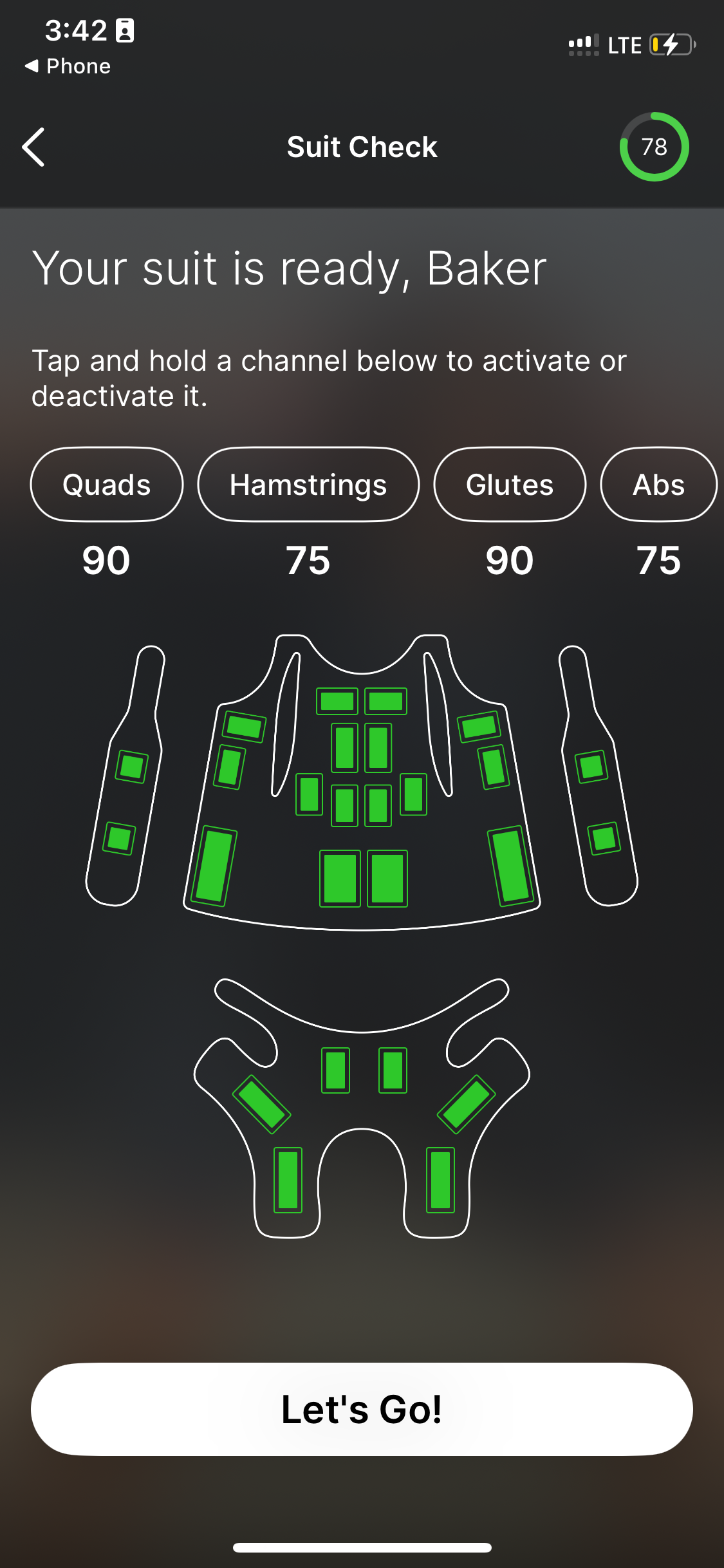
4. From here, you have the option to turn muscle groups OFF. To do this, press and hold the muscle group until the button appears orange and crossed out.
5. To turn ON the muscle group, press and hold the muscle group until the button turns back to white and is not crossed out. The color of the pad will turn from orange to green.
Please note: The muscle group will remain turned OFF until otherwise turned back ON. Each workout mode will have its own memory of turned on/off muscle groups. For example, if you turn off the Glute pads during a Strength workout, they will not remain turned off for a Power workout.